v2.0.0
New Feature — A Brand-New Studio
New FeaturePlatform
New Feature — A Brand-New Studio
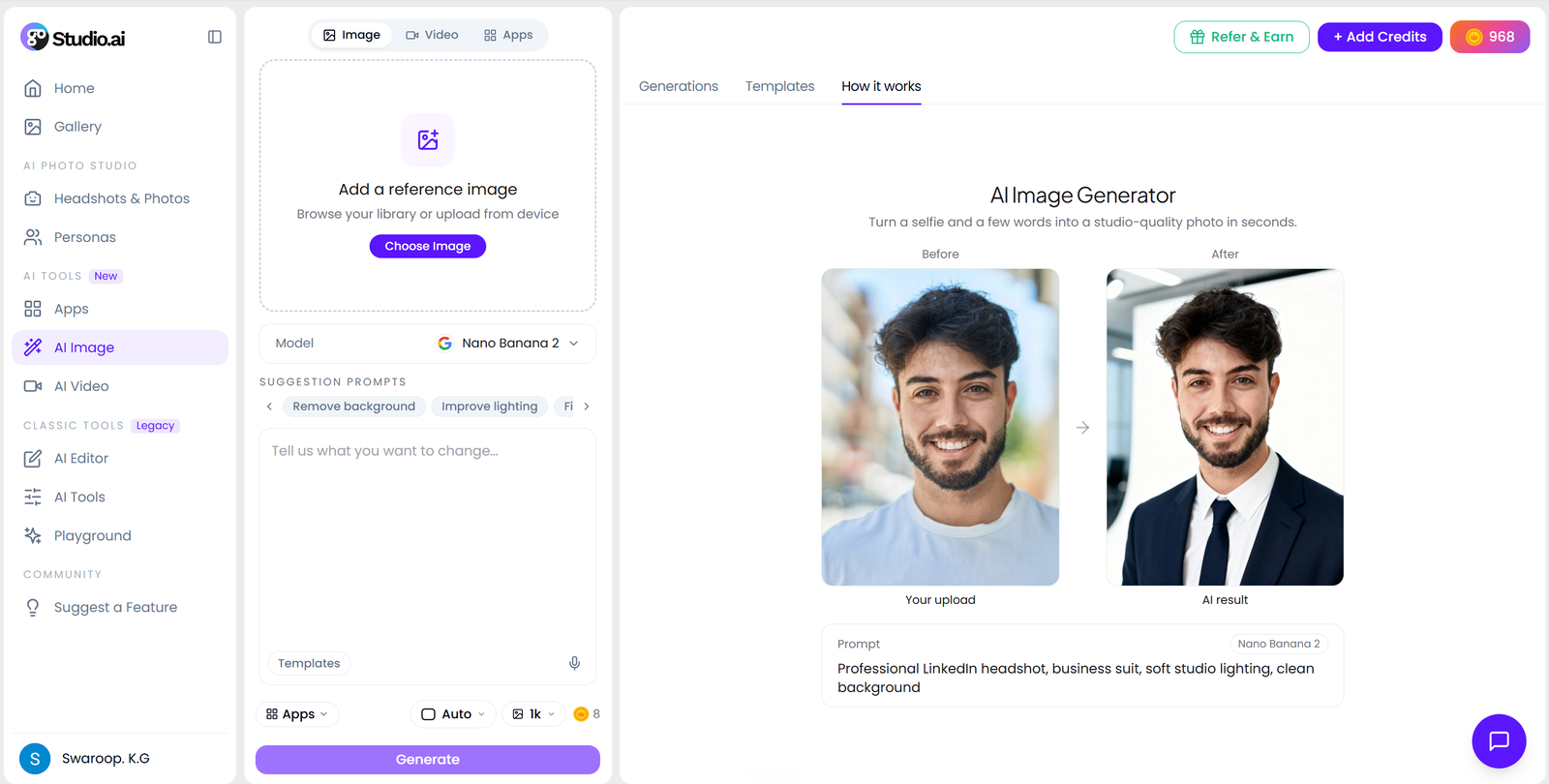
Every page inside the app has a new interface. The AI tools no longer live on their own separate pages — they have moved into Apps, and image and video each get a single workspace: create and edit in AI Image, generate and edit in AI Video.
What’s New
- AI tools moved into Apps — every tool now opens from the Apps panel inside the studio instead of its own standalone page.
- AI Image — create and edit in one place: generate a new image or edit an existing one without switching screens.
- AI Video — generate and edit in the same workspace, the same way image works.
- New interface throughout — the inside pages share one layout, with your generations in a live panel where you can compare, like, share or delete them.
- Built for mobile — a new bottom nav (Home, Photoshoots, AI Editor, Apps, Gallery) and layouts that hold up on small screens.
- Simpler addresses — image and video now live at /app/ai-image and /app/ai-video.
If you had an older tool link bookmarked, open the studio and pick the tool from the Apps panel — everything now lives one tap from the sidebar.
Open the new studio
.png?width=620&height=464 "AI Outpaint after")