Extend Any Video and Make It Longer
Make a video longer without looping it. Most tools stretch a clip by repeating it, freezing the last frame or slowing it down — and all three are visible in a second. GoStudio's AI Video Extender generates new footage instead, continuing the shot with the same motion, lighting and subject, so the extra seconds look filmed rather than faked. Your original footage comes back untouched, with its audio, resolution and frame rate intact.
Drop your video in
MP4, MOV or WEBM — 2 to 15 seconds, up to 720p
Note: Your video is processed securely and never shared with third parties. Runs are billed per second of the finished video — your clip plus the seconds you add — and the exact credit cost is shown before anything starts.
- Online — nothing to install
- Generated, not looped
- Motion & lighting carried on
- Audio, resolution & frame rate kept
HOW IT WORKS
How to extend a video in 3 steps
Upload your clip and say how much longer you need — extend a video online without looping it.
1. Upload your video
MP4, MOV or WEBM, 2 to 15 seconds long. Processed securely and never shared.
2. Choose how much longer
Add a few seconds or a lot — enough to reach a 15s Reel, a 30s ad slot or the end of your voiceover.
3. Download the longer cut
The AI continues the shot instead of repeating it. Same resolution, frame rate and audio — and no GoStudio watermark.
WHY CHOOSE US
Make a video longer without looping
Most tools stretch a clip by repeating it or freezing the last frame. GoStudio generates footage that continues the shot — industry by industry.
The shot ends too soon
The take runs out two seconds before the hook lands, and looping it is obvious the moment the motion snaps back. Extending generates the seconds that were never filmed, so the clip carries on to the end of the line.
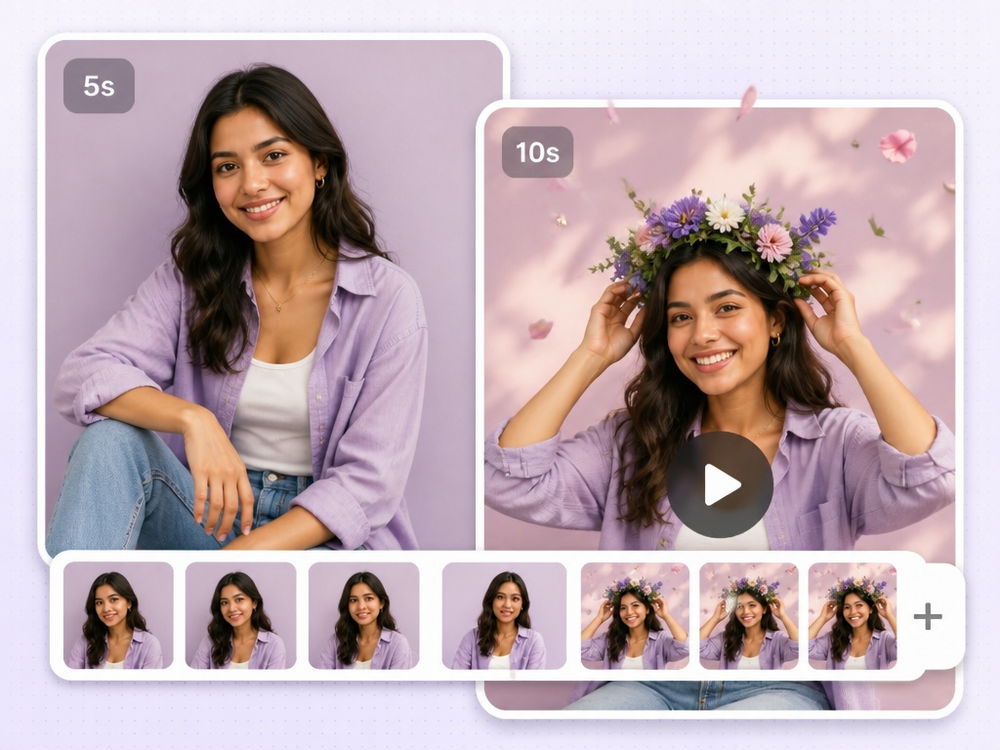
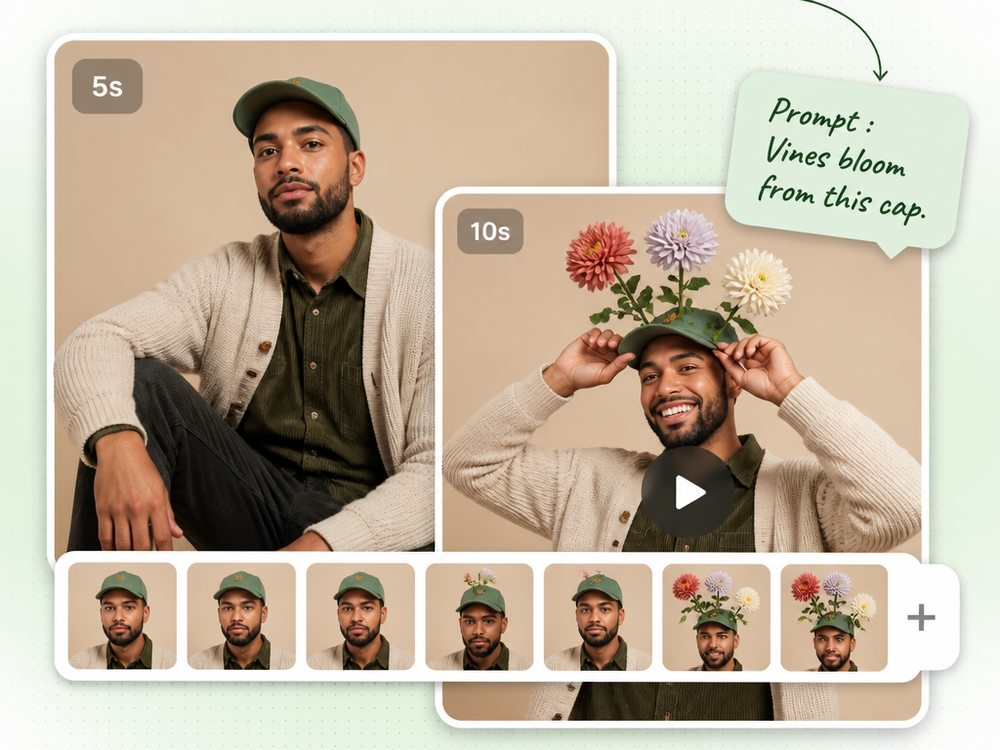
Direct the extra seconds
The last beat of an ad has a job — the reveal, the logo, the reaction. Add a prompt along with the length and the AI plays that beat, rather than handing you more of the same shot, so one take reaches 15 or 30 seconds and lands.
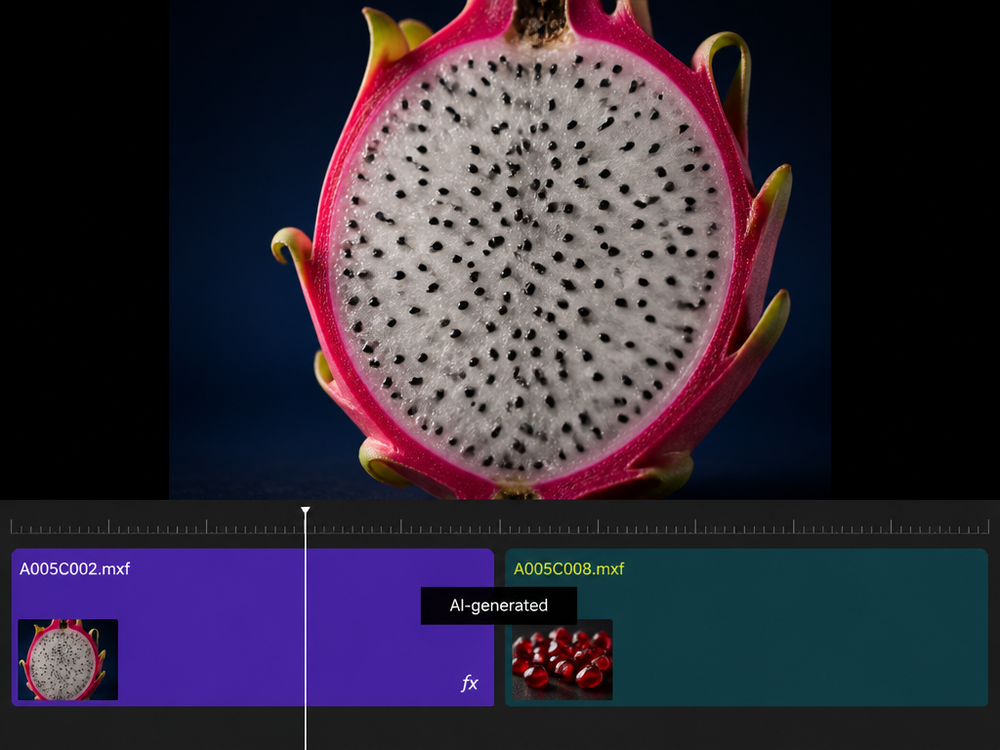
Straight onto your timeline
B-roll that ran short, a transition that needs another beat, an AI clip that stopped at eight seconds. The extension comes back at your resolution and frame rate and drops onto the timeline beside the shot it continues.
Four reasons a clip needs to be longer
Pick the one that sounds like yours.
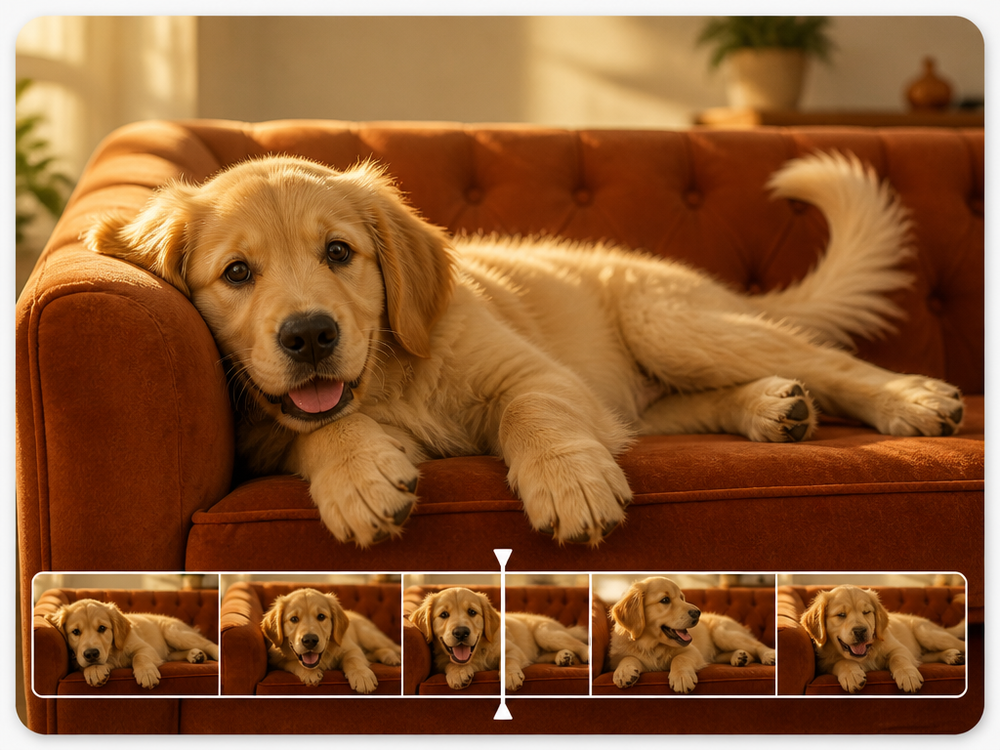
Carry a shot past its last frame
The take ends before the moment does. The AI reads your final seconds — motion, light, camera — and keeps going, so the join is a continuation, not a cut.
Simple pricing.
Pay only for what you use.
Every plan unlocks every AI model and every editing tool. Pick the credit pack that fits.
Lite
Billed monthly
80 credits/month
GPT Image 2 · 8 images
Nano Banana 2 · 10 photos
Wan 2.7 · 1 video
Seedance 2 · 1 video (5s)
Full access to all AI image & video models
Pro
Billed monthly
150 credits/month
GPT Image 2 · 16 images
Nano Banana 2 · 20 photos
Wan 2.7 · 2 videos
Seedance 2 · 2 videos (5s)
Full access to all AI image & video models
Max
Billed monthly
500 credits/month
GPT Image 2 · 50 images
Nano Banana 2 · 62 photos
Wan 2.7 · 9 videos
Seedance 2 · 8 videos (5s)
Full access to all AI image & video models
Sign up for 10 free credits — no credit card required. Free credits go to eligible new accounts. Seeing wrong pricing? Contact us
Our Best Tools
Tools that pair well with the AI Video Extender.
TESTIMONIALS
Real customers.
Real reviews.
Real people, real posts. Every review below is written by a GoStudio.ai customer on social media — not edited, not paid for. Click any review to read the original.
Two years ago we spent thousands on branded images and professional headshots. Then I found GoStudio.ai — it helps you look like yourself, just on your best, most confident day.

Sometimes, you don't need a photo shoot to look like your future self. You just need a visual story that says, 'I made it.' That's where GoStudio.ai can help.
The founder personally fixed all of my photos. Her commitment to giving everyone an excellent experience makes her a cut above many others. I have to give the experience 5 stars.

The images look so close to my original that if I didn't tell you they were AI-generated, you'd probably never notice. AI is your assistant — not your identity.

Kanika personally hopped on a call to help. That level of professionalism and kindness really impressed me. The AI photo is beautiful — GoStudio.ai makes professional identity accessible.

GoStudio.ai helped me show up as who I'm actually becoming — not who I thought I was supposed to be. It replaced two photographers and a retoucher for our catalog.

Kanika built GoStudio.ai — an app that turns your daily selfies into professional photos. She built it solo, and it's jaw-droppingly good.

I've seen other companies do AI headshots, but I've found her images to be the best. Dozens of images in 30 minutes — why do this yourself?

Two years ago we spent thousands on branded images and professional headshots. Then I found GoStudio.ai — it helps you look like yourself, just on your best, most confident day.
Sometimes, you don't need a photo shoot to look like your future self. You just need a visual story that says, 'I made it.' That's where GoStudio.ai can help.
The founder personally fixed all of my photos. Her commitment to giving everyone an excellent experience makes her a cut above many others. I have to give the experience 5 stars.
The images look so close to my original that if I didn't tell you they were AI-generated, you'd probably never notice. AI is your assistant — not your identity.
Kanika personally hopped on a call to help. That level of professionalism and kindness really impressed me. The AI photo is beautiful — GoStudio.ai makes professional identity accessible.
GoStudio.ai helped me show up as who I'm actually becoming — not who I thought I was supposed to be. It replaced two photographers and a retoucher for our catalog.
Kanika built GoStudio.ai — an app that turns your daily selfies into professional photos. She built it solo, and it's jaw-droppingly good.
About AI video extending
AI Video Extender — FAQ
Everything about extending a video and making it longer with AI. Search a keyword or pick a topic — and if the answer is not here, our team replies at support@gostudio.ai.
STILL LOOKING?
Didn't find what you came for? Tell us.
You scrolled the whole way so tell us what you're trying to create. A real person on our team will help you make it, point you to the right tool, or build it if it doesn't exist yet. Every GoStudio feature started exactly like this.