Product Updates

Every new AI tool, feature, and improvement shipping on GoStudio.ai — newest first. Page 8 of 10.

Update — Generate Video from Apps, and Pick Videos from Your Gallery

Video generation is now available directly from the Apps panel, and the AI Editor lets you pick a video you already made instead of hunting for the file on your device.
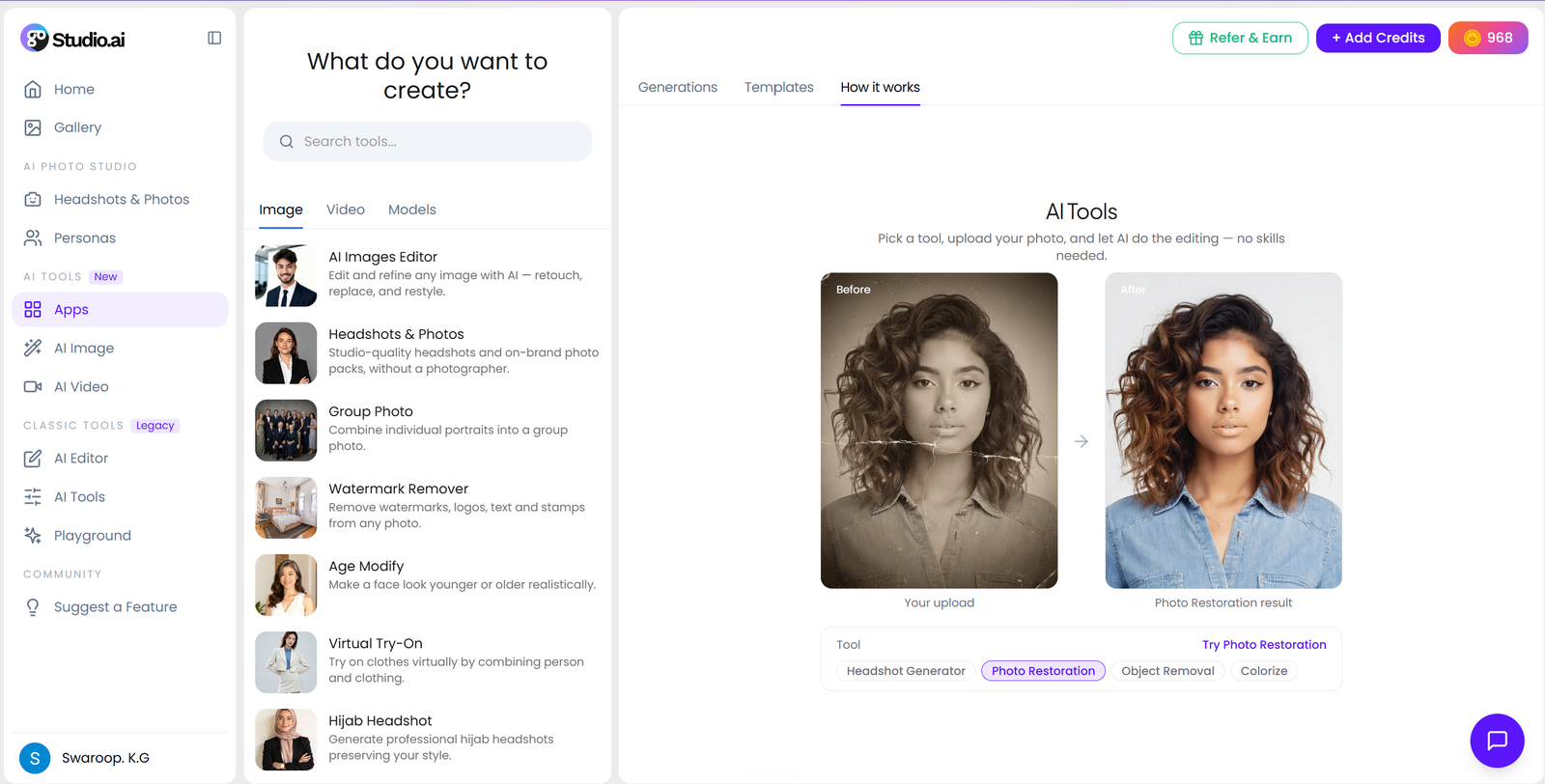
The GoStudio Apps panel open in the studio, with Image, Video and Models tabs over the tool list

What’s New

  • Video in Apps — start a video generation from the Apps panel like any other tool.
  • Gallery video picker — choose any video you have already generated instead of re-uploading it.
  • Autoplay previews — videos play inline in the picker so you can spot the right one at a glance.
  • Open in a popup — click a video anywhere in the app to watch it full size.

Open the AI Editor
v2.1.1

Improvement — All Pack Pages, V2

ImprovementPlatform

Improvement — All Pack Pages, V2

Version 2 of every pack page is live. All 137 headshot and photoshoot packs were rewritten from the ground up — new titles, new descriptions, shorter URLs, and a share card generated for each one.

The generated share card for the LinkedIn Headshots pack — one of 137

What’s New

  • V2 across all 137 packs — every headshot and photoshoot pack page rebuilt in one pass, not a few at a time.
  • Rewritten titles and descriptions — each pack now says plainly what it is and who it is for.
  • A share card per pack — paste a pack link into WhatsApp, LinkedIn or Slack and it arrives as a proper card instead of a blank box.
  • Shorter URLs — pack pages moved to a single, simpler path that is easier to read and share.
Browse headshot packs
v2.1.0

New Feature — Family Group Photo

New FeatureAI Tools

New Feature — Family Group Photo

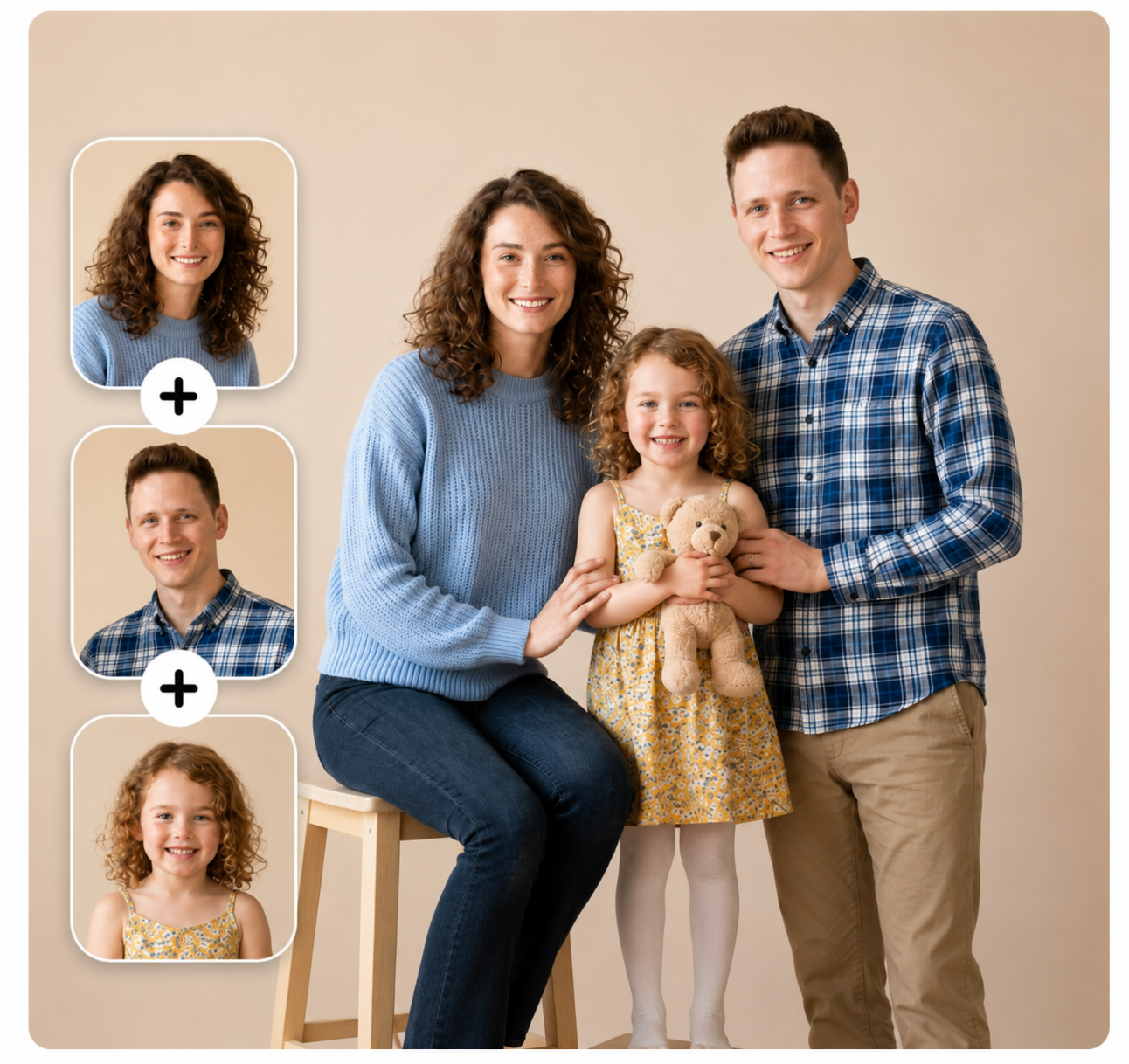
Get the whole family into one photo, even when you were never in the same room. Upload a photo of each person and the AI composes them into a natural group portrait.

AI-composed family group portrait from separate photos

What’s New

  • Everyone together — combine separate photos into one believable family portrait.
  • Matched lighting and scale — faces are relit and resized so nobody looks pasted in.
  • Its own page — a dedicated Family Group Photo page with real examples and tips.
Try Family Group Photo
v2.0.0

New Feature — A Brand-New Studio

New FeaturePlatform

New Feature — A Brand-New Studio

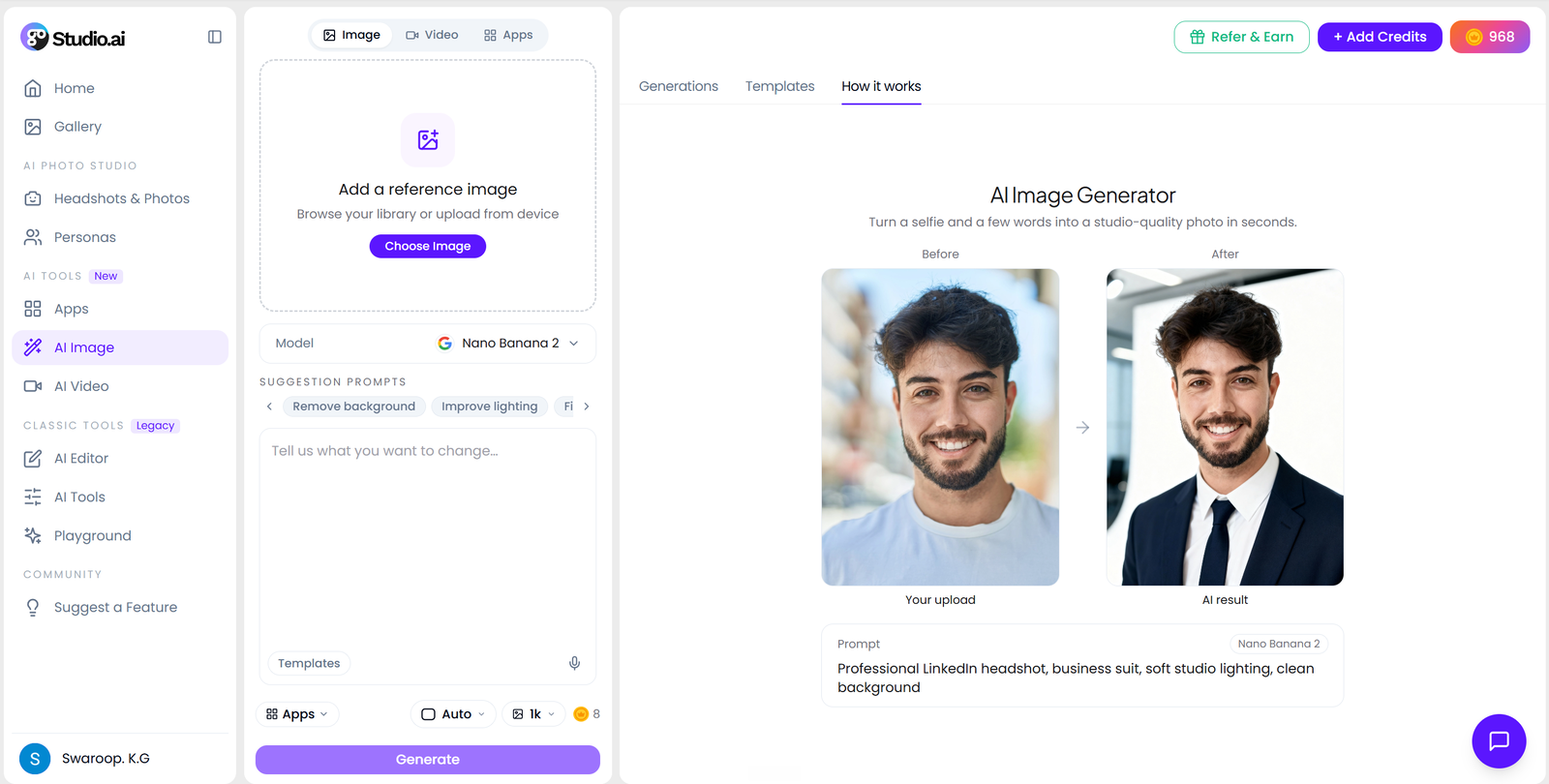
Every page inside the app has a new interface. The AI tools no longer live on their own separate pages — they have moved into Apps, and image and video each get a single workspace: create and edit in AI Image, generate and edit in AI Video.

The rebuilt GoStudio studio — sidebar, AI Image workspace and the generations panel on one screen

What’s New

  • AI tools moved into Apps — every tool now opens from the Apps panel inside the studio instead of its own standalone page.
  • AI Image — create and edit in one place: generate a new image or edit an existing one without switching screens.
  • AI Video — generate and edit in the same workspace, the same way image works.
  • New interface throughout — the inside pages share one layout, with your generations in a live panel where you can compare, like, share or delete them.
  • Built for mobile — a new bottom nav (Home, Photoshoots, AI Editor, Apps, Gallery) and layouts that hold up on small screens.
  • Simpler addresses — image and video now live at /app/ai-image and /app/ai-video.

If you had an older tool link bookmarked, open the studio and pick the tool from the Apps panel — everything now lives one tap from the sidebar.

Open the new studio
v1.7.1

Update — Every AI Tool Page, Rebuilt

UpdatePlatform

Update — Every AI Tool Page, Rebuilt

All of our AI tool pages have been rebuilt on one design system — clearer examples, consistent typography, and real before/after sliders so you can see what a tool does before you sign up.

What’s New

  • Consistent design — every tool page now shares the same layout, type and colour system.
  • Real before/after — drag the slider on any tool page to see genuine results, not stock mockups.
  • Faster to scan — shorter headings, clearer steps, and the answer to “what does this do?” right at the top.
See the new tool pages
v1.7.0

Update — Watermark Remover Now Has Three Quality Tiers

UpdateAI Tools

Update — Watermark Remover Now Has Three Quality Tiers

Pick the trade-off that suits the job. The Watermark Remover now offers three models — Lite, Pro and Ultra — selectable from a dropdown right above the Generate button.

  • Lite

    The fastest and cheapest option, ideal for simple text watermarks.

  • ProDefault

    The balanced choice that handles most photos well.

  • Ultra

    The highest-quality pass for busy backgrounds and stubborn logos.

What’s New

  • Tier picker — switch models from a dropdown right above the Generate button, with the credit cost shown for each.
  • Same flow either way — the tool works exactly as before; the choice is one dropdown, not a different screen.
Try Watermark Remover

Showing updates 43–48 of 56