Product Updates

Every new AI tool, feature, and improvement shipping on GoStudio.ai — newest first. Page 6 of 6.

v1.5.0

New Feature — AI Face Swap

New FeatureAI Tools

New Feature — AI Face Swap

Swap any face into any photo in seconds. Match lighting, skin tone, and angle automatically for a clean, believable result — no manual masking, no Photoshop.

Original target photo before the face swap
Before
Photo after AI face swap — matched lighting, tone, and angle
After

What’s New

  • One-click swap — drop in a source face and a target photo and let the AI blend them seamlessly.
  • Lighting & tone matching — the result inherits the scene’s light direction and color so it never looks pasted on.
  • Keeps detail — pores, hair edges, and expressions stay sharp and natural.
  • Free to try — no credit card, no watermark on downloads.

Rolled out to everyone — swap faces for memes, portraits, or creative edits in seconds, all in your browser.

Try AI Face Swap
v1.4.0

New Feature — Group Photo AI

New FeatureAI Tools

New Feature — Group Photo AI

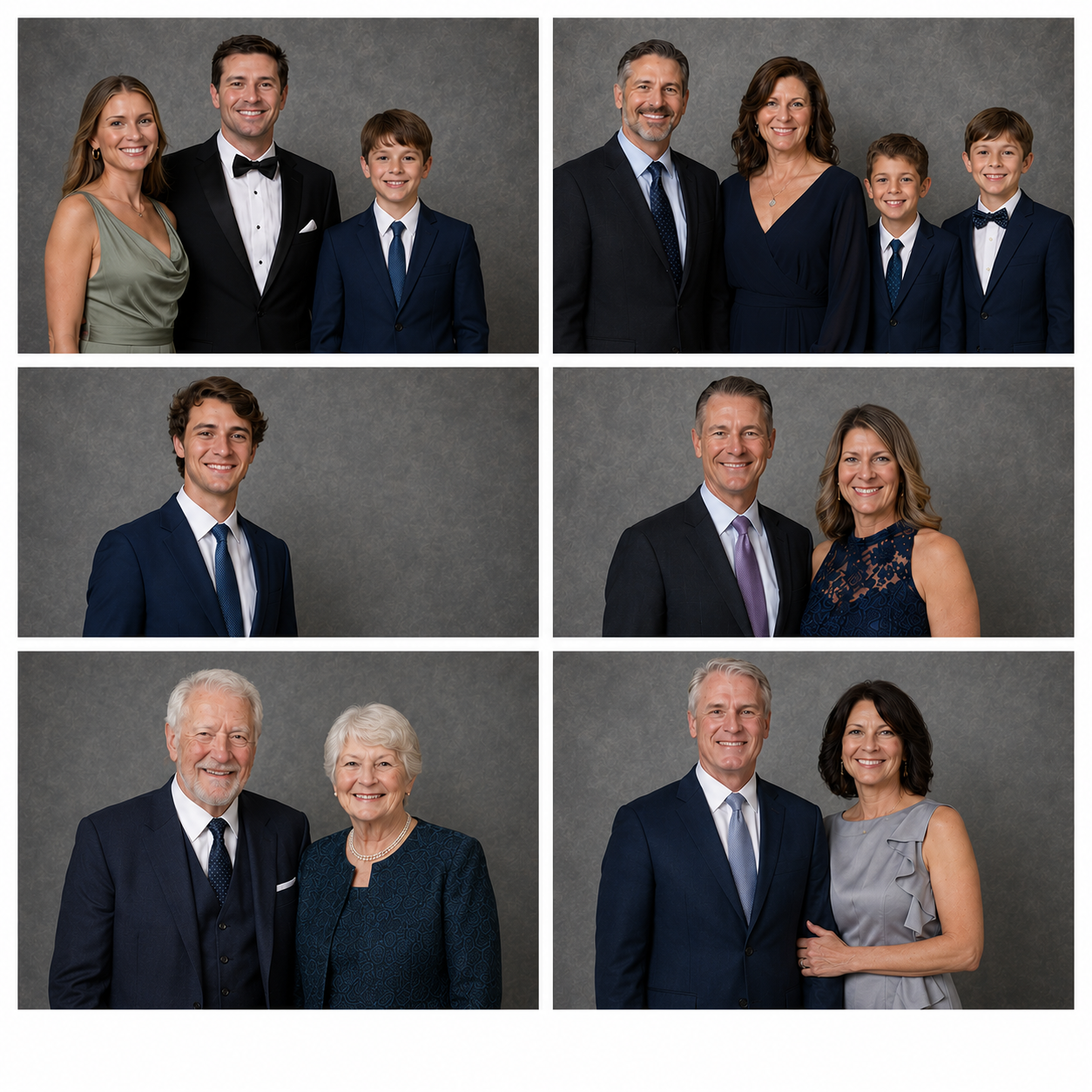
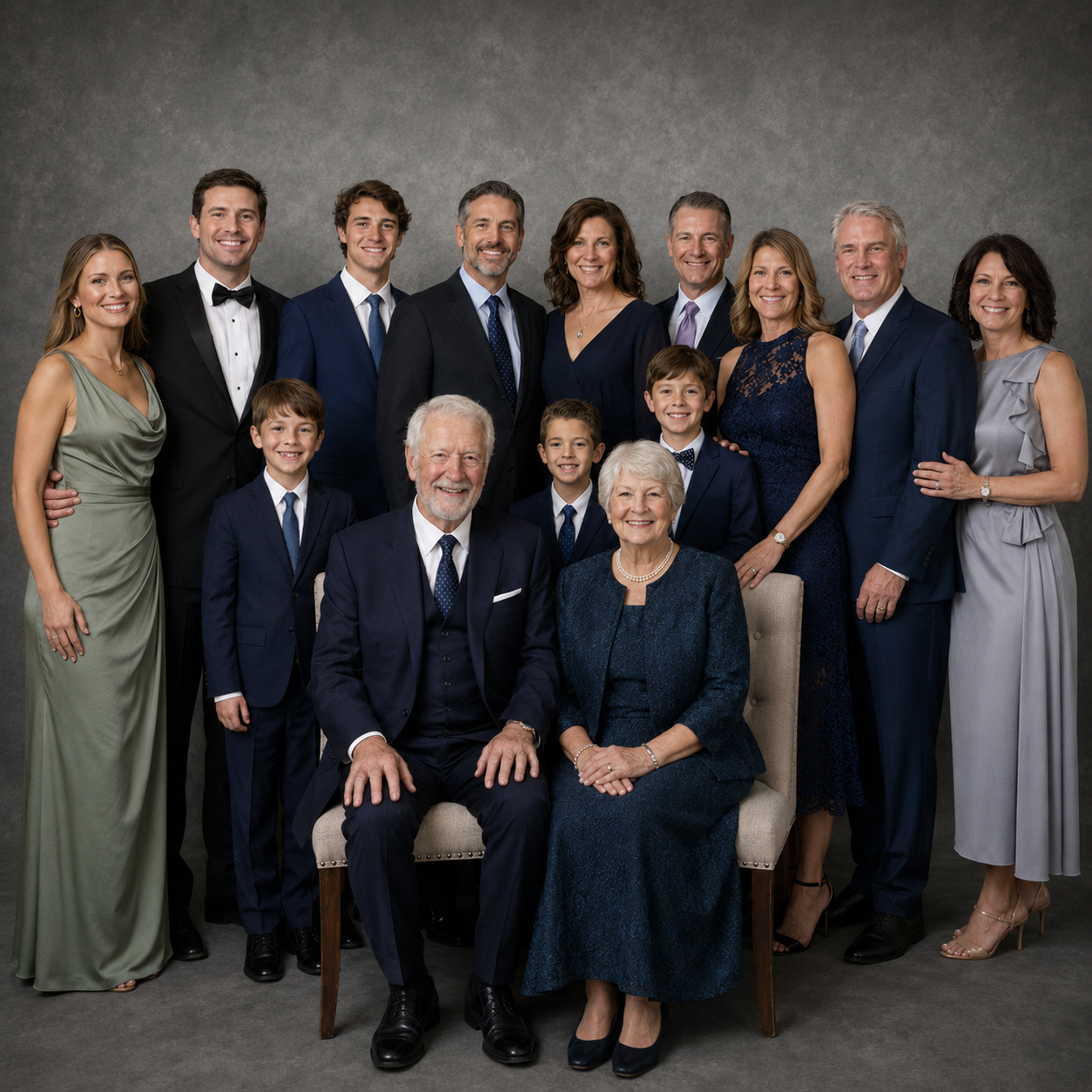
Merge separate photos of different people into one natural group shot — for teams, friends or family who were never photographed together.

Separate photos before being combined
Before
One natural group portrait with everyone together
After

What’s New

  • Combine multiple people — upload individual photos and get one cohesive group portrait.
  • Two ways to start — begin from a single group image, or add each person separately.
  • Compact mobile action bar — a new bottom bar puts Generate and settings within thumb reach on every AI tool, not just this one.
Try Group Photo

New Feature — Passport Photo Pages for the US, UK, Canada, Australia and Babies

Country-specific passport photo pages that apply each government’s exact size, background and head-position rules automatically — including a dedicated page for babies.

Ordinary selfie before passport formatting
Before
Same photo cropped and formatted to official passport rules
After

What’s New

  • Five dedicated pages — US, UK, Canada, Australia and a baby-specific page, each with its own official dimensions.
  • Rules applied automatically — the AI centres your face and crops to the regulation head height for that country.
  • Print-ready output — download at the correct size and background, ready to submit or print.
  • Babies covered — the baby page accepts any expression or closed eyes, which infant passport rules allow.
Make a passport photo
v1.2.0

Update — A New Home for the Ambassador Program

UpdatePlatform

Update — A New Home for the Ambassador Program

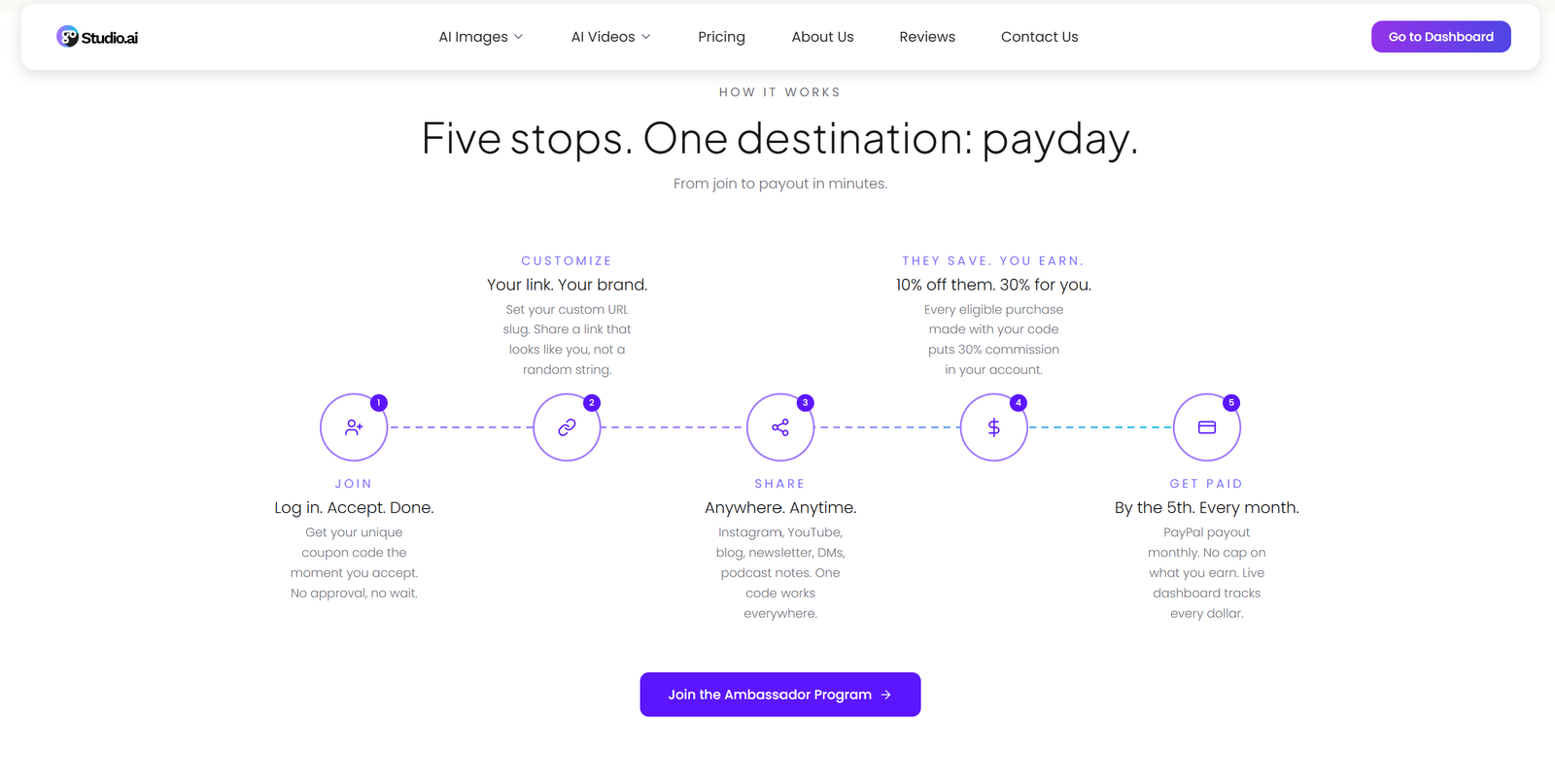
The Ambassador program page has been rebuilt from scratch — clearer earnings, a cleaner sign-up path, and testimonials from real ambassadors on LinkedIn.

The redesigned Ambassador Program page — the five-step "How it works" path from joining to getting paid

What’s New

  • Full redesign — new hero, layout and typography built on the GoStudio design system.
  • Real testimonials — quotes from actual ambassadors, linked to their LinkedIn profiles.
  • Clearer earnings — what you earn and how referrals are tracked, stated up front.
  • Easier to join — the sign-up call to action now takes you straight into the program.
Join the Ambassador Program
v1.1.0

New Feature — Universal Image Resizer

New FeatureAI Tools

New Feature — Universal Image Resizer

Resize any image to any platform’s exact dimensions in one click — and let AI extend the scene instead of cropping it, so nothing important gets cut off.

The Universal Resizer share card — one photo before, then reframed to portrait, landscape and square with no cropping

What’s New

  • Ready-made presets — LinkedIn, Instagram, X, YouTube, passport sizes, and more, all in correct dimensions.
  • AI outpainting — when the new aspect ratio is wider or taller, the AI generatively extends the background instead of cropping.
  • Batch-friendly — resize once, export for every channel.
  • Crisp output — no stretching, no squashing, no quality loss.

Resize once and export for every channel — no stretching, no squashing, no quality loss.

Try the Universal Resizer

Showing updates 3135 of 35