Product Updates

Every new AI tool, feature, and improvement shipping on GoStudio.ai — newest first. Page 4 of 6.

v2.3.2

Update — Weight Shift Gets a Segmented Slider

UpdateAI Tools

Update — Weight Shift Gets a Segmented Slider

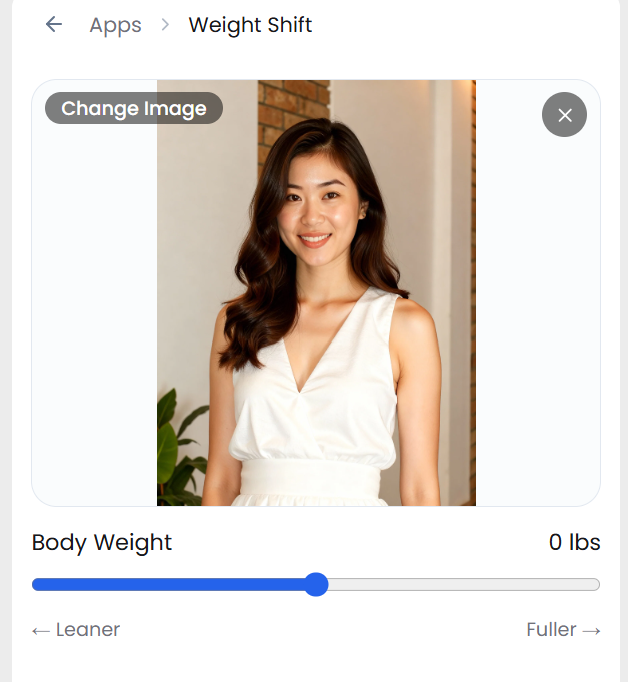
The Weight Shift tool now features a segmented slider with 7 fixed stops — making it faster and more intuitive to pick the exact body-weight adjustment you want.

The Weight Shift slider in the app — a Body Weight track running from Leaner to Fuller above the uploaded photo

What’s New

  • Segmented slider — snap to 7 preset levels: Lean (−50 lbs), Fit (−25 lbs), Slim (−10 lbs), Current (0), Soft (+10 lbs), Full (+25 lbs), and Heavy (+50 lbs).
  • Floating label — hover or drag the slider to see the stop name appear directly above the thumb.
  • Cleaner header — the current lbs value (e.g. +25 lbs) is always visible next to the label.
  • Pro Model only — Weight Shift now runs exclusively on the Pro Model for the best results.
Try Weight Shift
v2.3.1

New Feature — Share Any Generation in One Tap

New FeaturePlatform

New Feature — Share Any Generation in One Tap

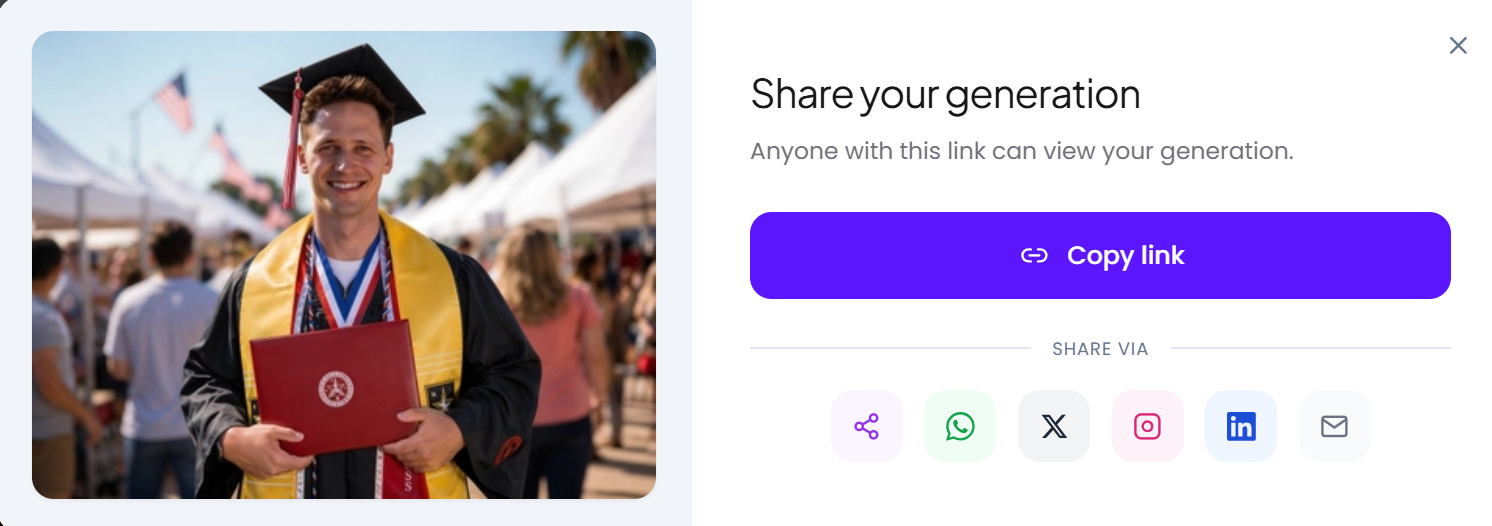
Every result in your generations panel now has a share button, with direct links to the major social platforms — plus a copy link option for everywhere else.

The Share your generation popup — a copy link button plus WhatsApp, X, Instagram, LinkedIn and email

What’s New

  • Share from the panel — send a result straight out without downloading it first.
  • All the major platforms — WhatsApp, X, LinkedIn, Facebook and more, in one menu.
  • Works for video too — share generated videos exactly the way you share images.
Open your generations
v2.3.0

New Feature — Introducing the GoStudio Blog

New FeaturePlatform

New Feature — Introducing the GoStudio Blog

The blog is live at gostudio.ai/blog — a new home for guides, founder notes and deep dives on getting the most out of AI photography, with a proper index, full article pages, and a table of contents on every long read.

What’s New

  • A blog index at /blog — a featured post up top, a card grid below, category pills and search to narrow it down.
  • Full article pages — every post gets its own page at /blog/[slug], with a table of contents for longer reads.
  • Founder notes and how-tos — practical walkthroughs alongside the story behind the product.

Head to gostudio.ai/blog to read the first posts — starting with why GoStudio was built in the first place.

Read the GoStudio Blog

Update — Generate Video from Apps, and Pick Videos from Your Gallery

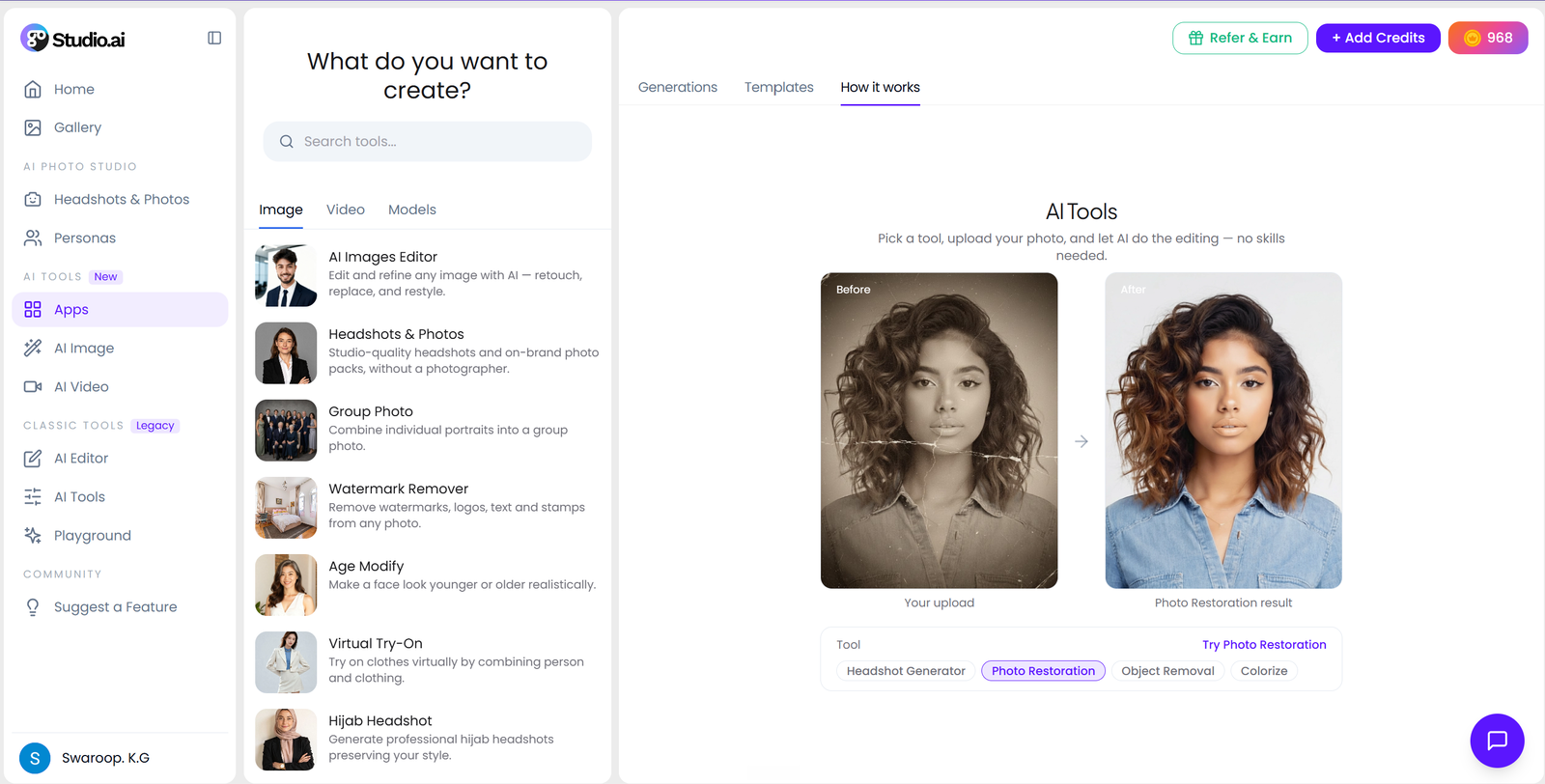
Video generation is now available directly from the Apps panel, and the AI Editor lets you pick a video you already made instead of hunting for the file on your device.

The GoStudio Apps panel open in the studio, with Image, Video and Models tabs over the tool list

What’s New

  • Video in Apps — start a video generation from the Apps panel like any other tool.
  • Gallery video picker — choose any video you have already generated instead of re-uploading it.
  • Autoplay previews — videos play inline in the picker so you can spot the right one at a glance.
  • Open in a popup — click a video anywhere in the app to watch it full size.
Open the AI Editor
v2.1.1

Improvement — All Pack Pages, V2

ImprovementPlatform

Improvement — All Pack Pages, V2

Version 2 of every pack page is live. All 137 headshot and photoshoot packs were rewritten from the ground up — new titles, new descriptions, shorter URLs, and a share card generated for each one.

The generated share card for the LinkedIn Headshots pack — one of 137

What’s New

  • V2 across all 137 packs — every headshot and photoshoot pack page rebuilt in one pass, not a few at a time.
  • Rewritten titles and descriptions — each pack now says plainly what it is and who it is for.
  • A share card per pack — paste a pack link into WhatsApp, LinkedIn or Slack and it arrives as a proper card instead of a blank box.
  • Shorter URLs — pack pages moved to a single, simpler path that is easier to read and share.
Browse headshot packs
v2.1.0

New Feature — Family Group Photo

New FeatureAI Tools

New Feature — Family Group Photo

Get the whole family into one photo, even when you were never in the same room. Upload a photo of each person and the AI composes them into a natural group portrait.

AI-composed family group portrait from separate photos

What’s New

  • Everyone together — combine separate photos into one believable family portrait.
  • Matched lighting and scale — faces are relit and resized so nobody looks pasted in.
  • Its own page — a dedicated Family Group Photo page with real examples and tips.
Try Family Group Photo

Showing updates 1924 of 35